
Field-service software for everyone
EspañolThe Whole Job. One System.
Quote, schedule and complete jobs in English or Spanish. Keep photos, time, invoices and payments together, so your team knows what comes next.
Paid pilot · Access by invitation. Personal onboarding and direct support from the Spanstead team.
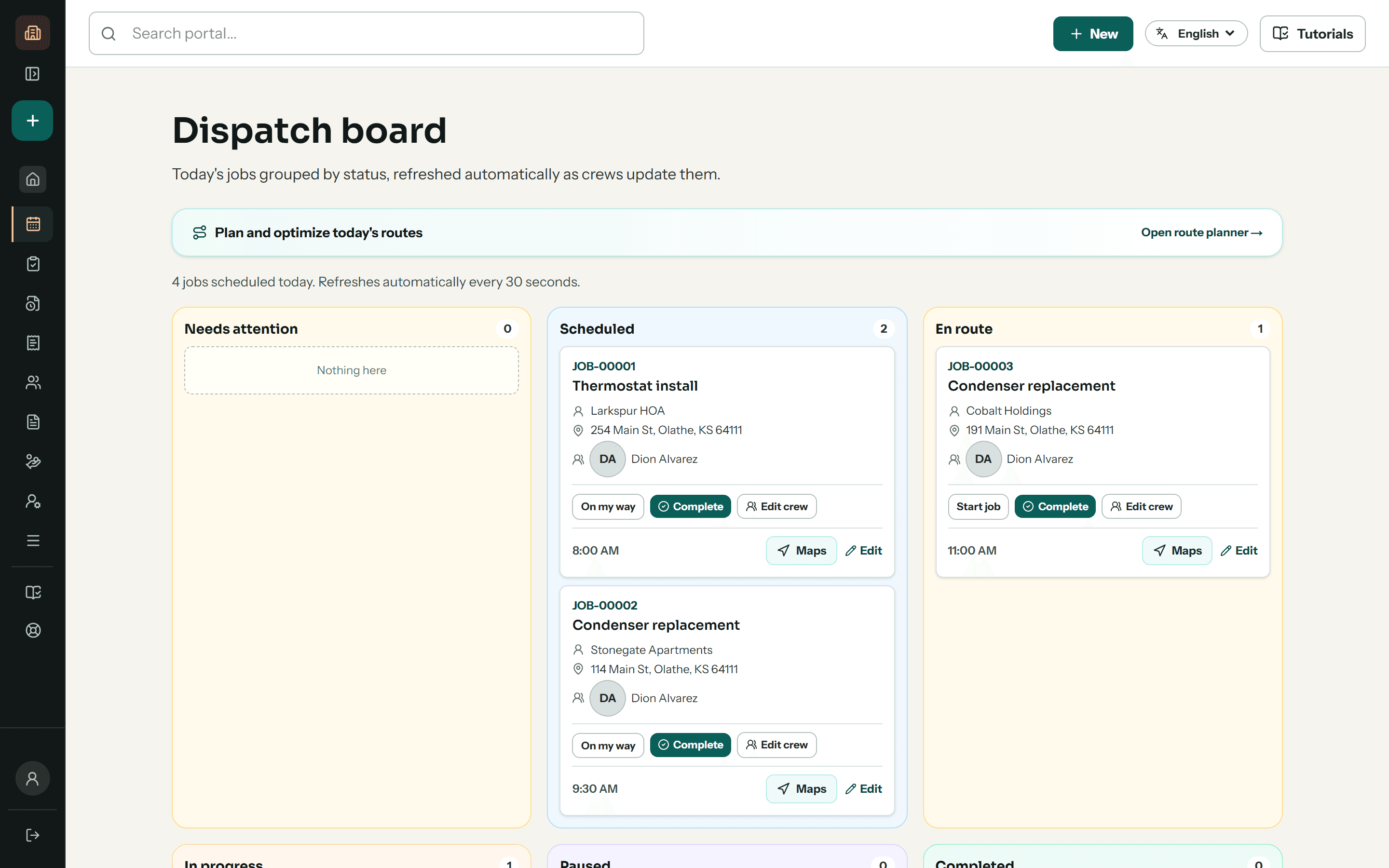
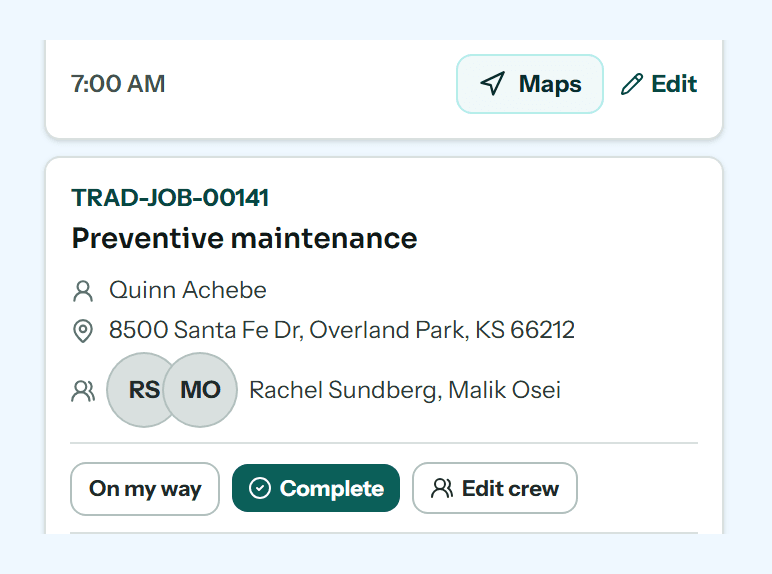
One job. Everyone working from the same record.
From the first estimate to the final payment, the office and crew can follow the work without rebuilding its history.
 01
01Quote and schedule
Keep the customer, property and estimate together. Assign the job and give the crew the details they need.
 02
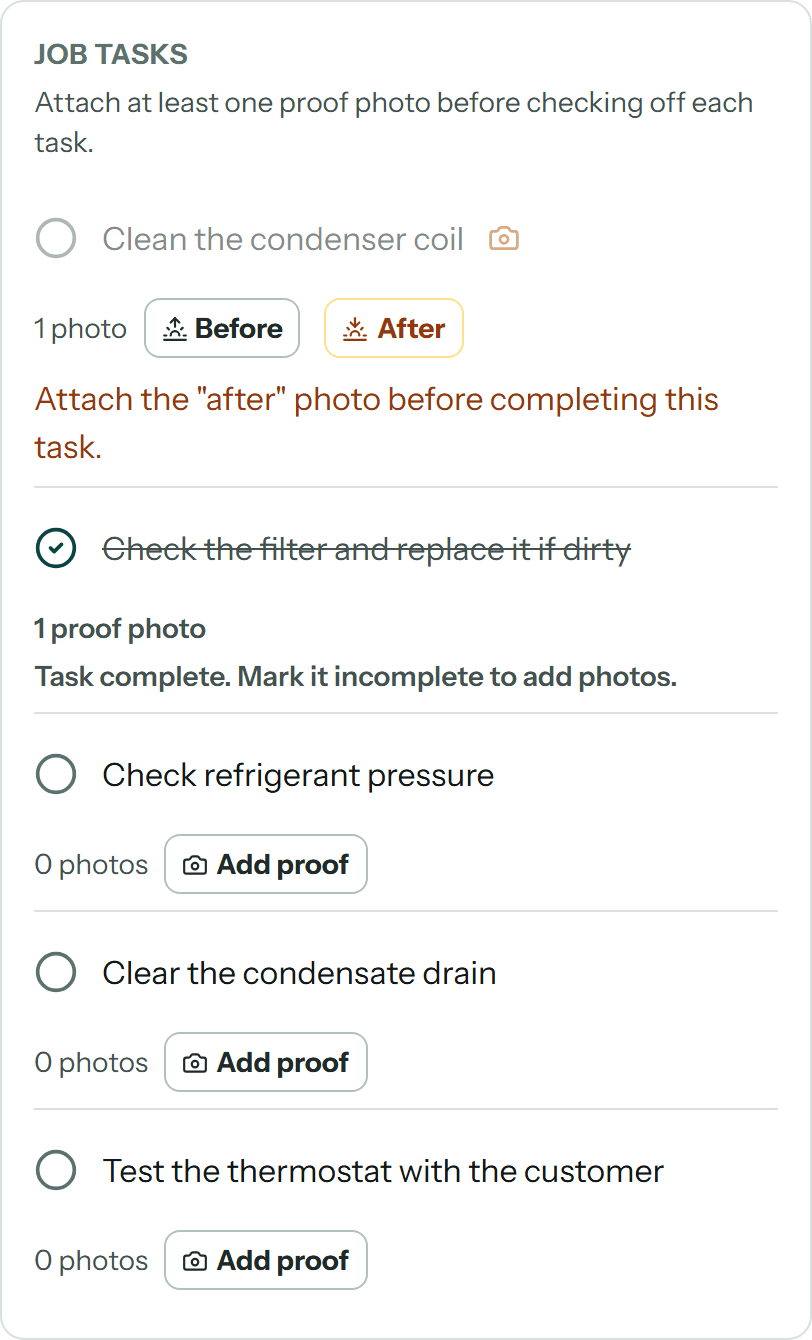
02Do the work
Open assigned jobs in English or Spanish. Record time, checklists and photos on the job.
 03
03Invoice and follow through
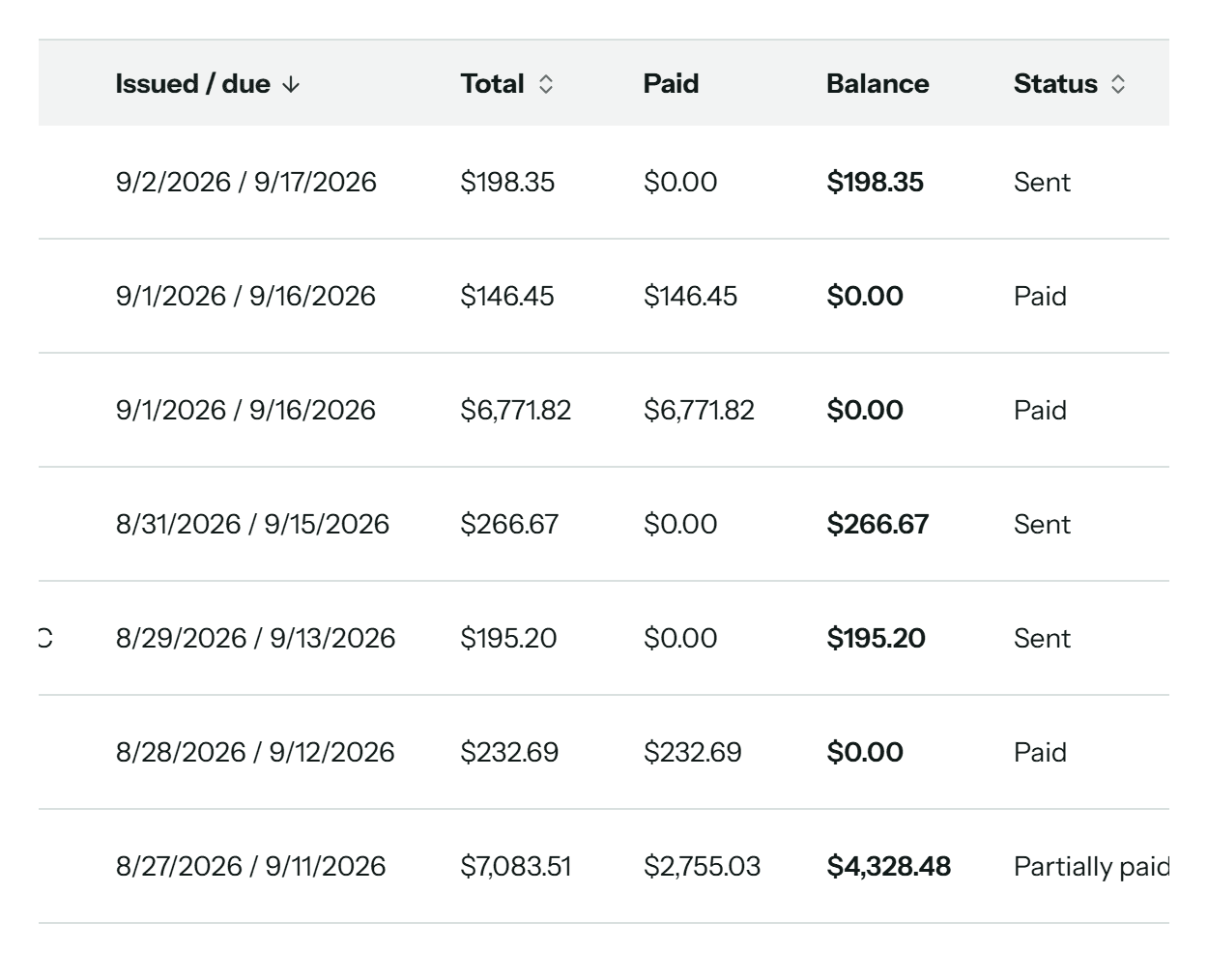
Track the invoice, payments received and recorded job costs together. Keep your accounting system for the books.
Crew app
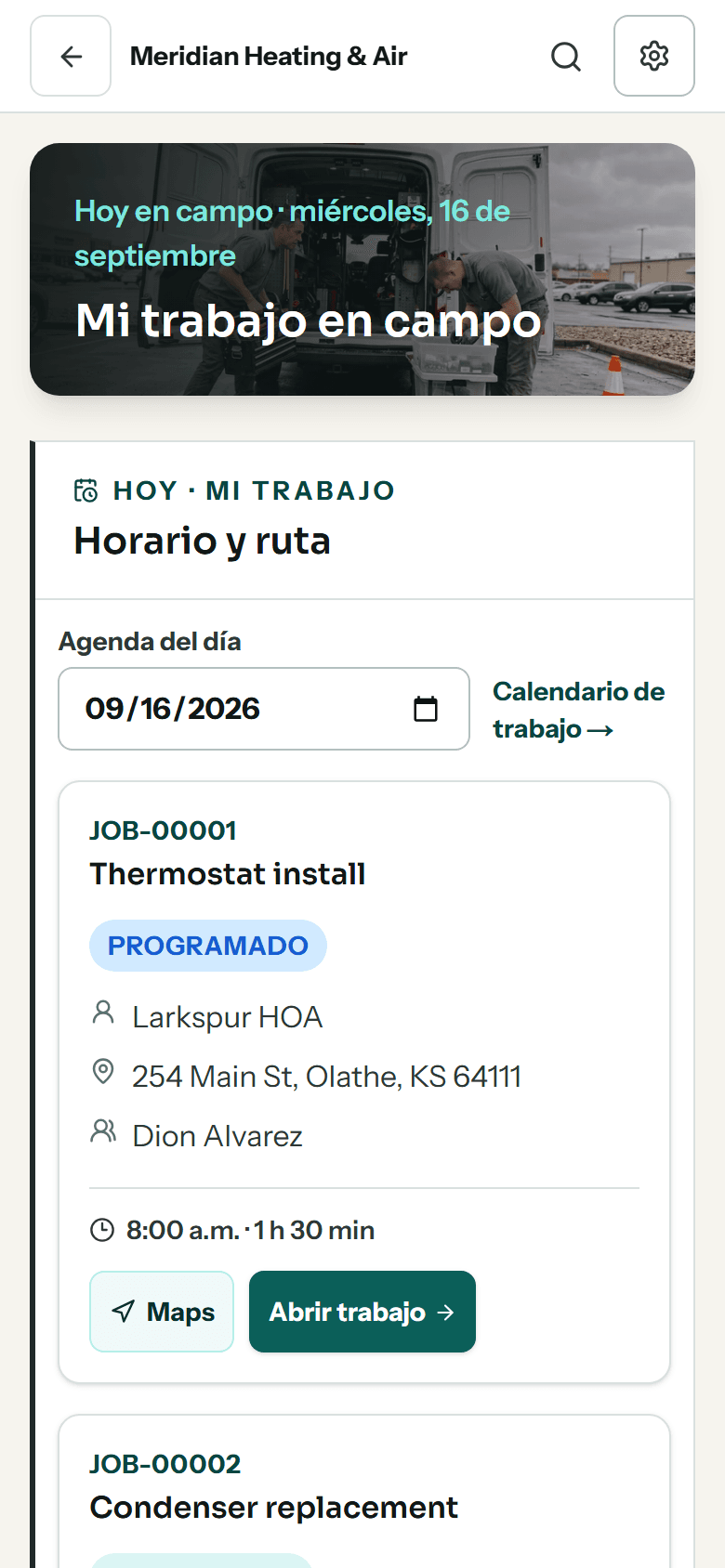
Your office and crew can work in different languages.
English and Spanish interfaces keep the daily workflow familiar. AI translation can also help with written job instructions, with the original available to check.
AI translation uses your plan’s AI credits and needs a connection for new translations.
See the crew workflow →- Assigned jobs
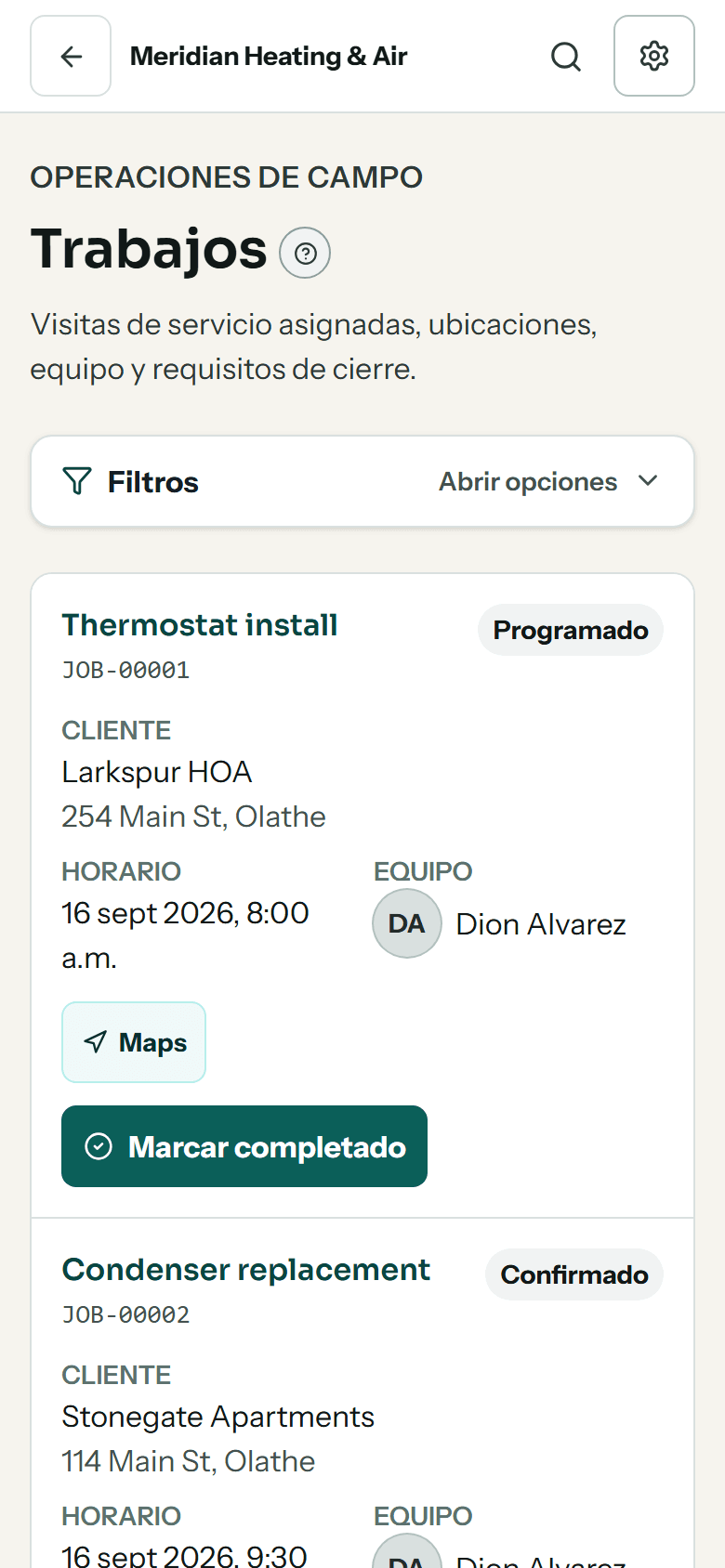
- Today's work
- Published route
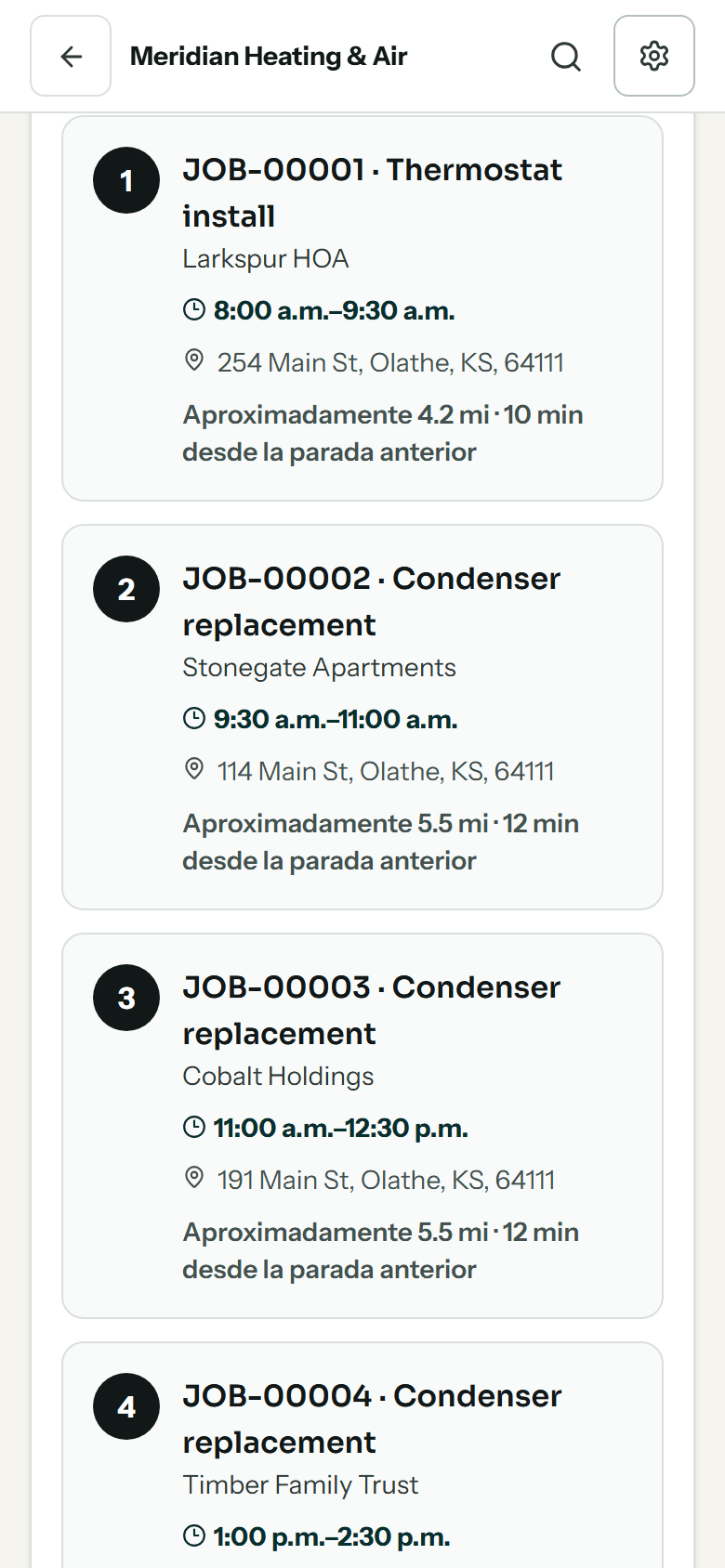
Shown in Spanish. Each person chooses their own language.
Customer portal
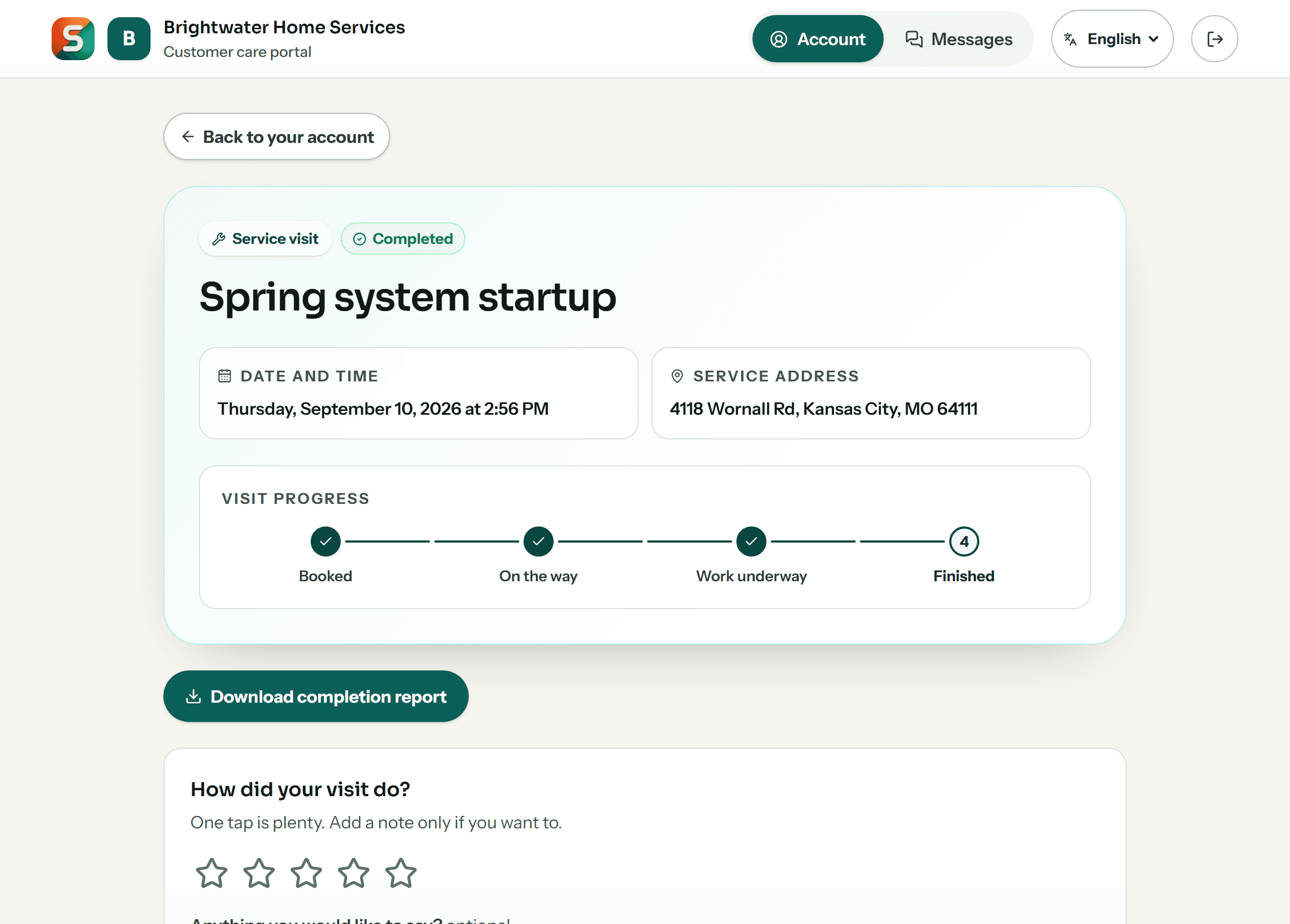
And your customers watch it happen, without phoning you.
Every customer gets their own account, free on every plan. It shows the same job record the crew filled in: a visit tracker that moves when a technician taps on site, the photos from the visit, and the invoice with a Pay now button beside it — under your name and your logo.
Customers can confirm an appointment, pay an invoice, and choose whether your updates reach them by text message or WhatsApp. They cannot move your schedule, change a job, or see anything belonging to anyone else.
Equipment, fleet and inventory
Every tool, truck and part, one scan from its record.
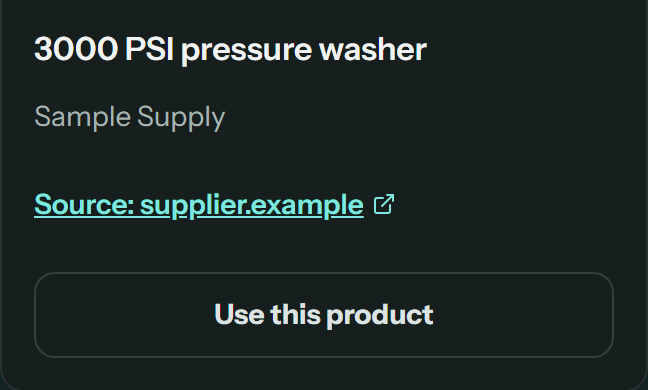
Look the product up instead of typing it in, put a QR tag on it, and scan it to see who has it, where it is and what it needs next. Tools, trucks and stock in one system, not three spreadsheets and a whiteboard.
 01 · Find it
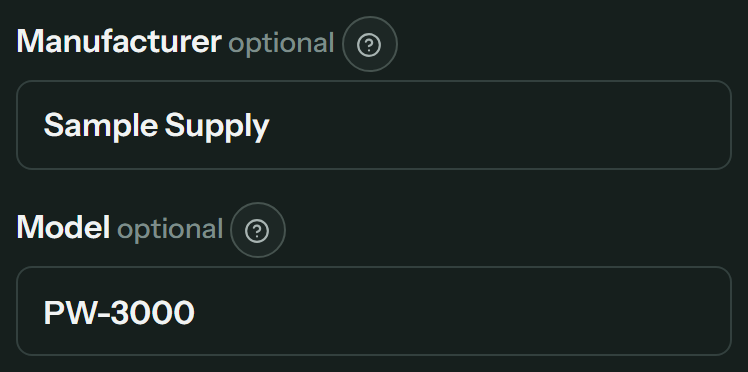
Search the product. Skip the spec sheet.
Describe a tool, truck or part and product search finds the listing. Pick a result and the make, model or part number and purchase link fill in, with the source linked. Not sure what it is called? Take a photo and AI suggests a name.

 02 · Tag it
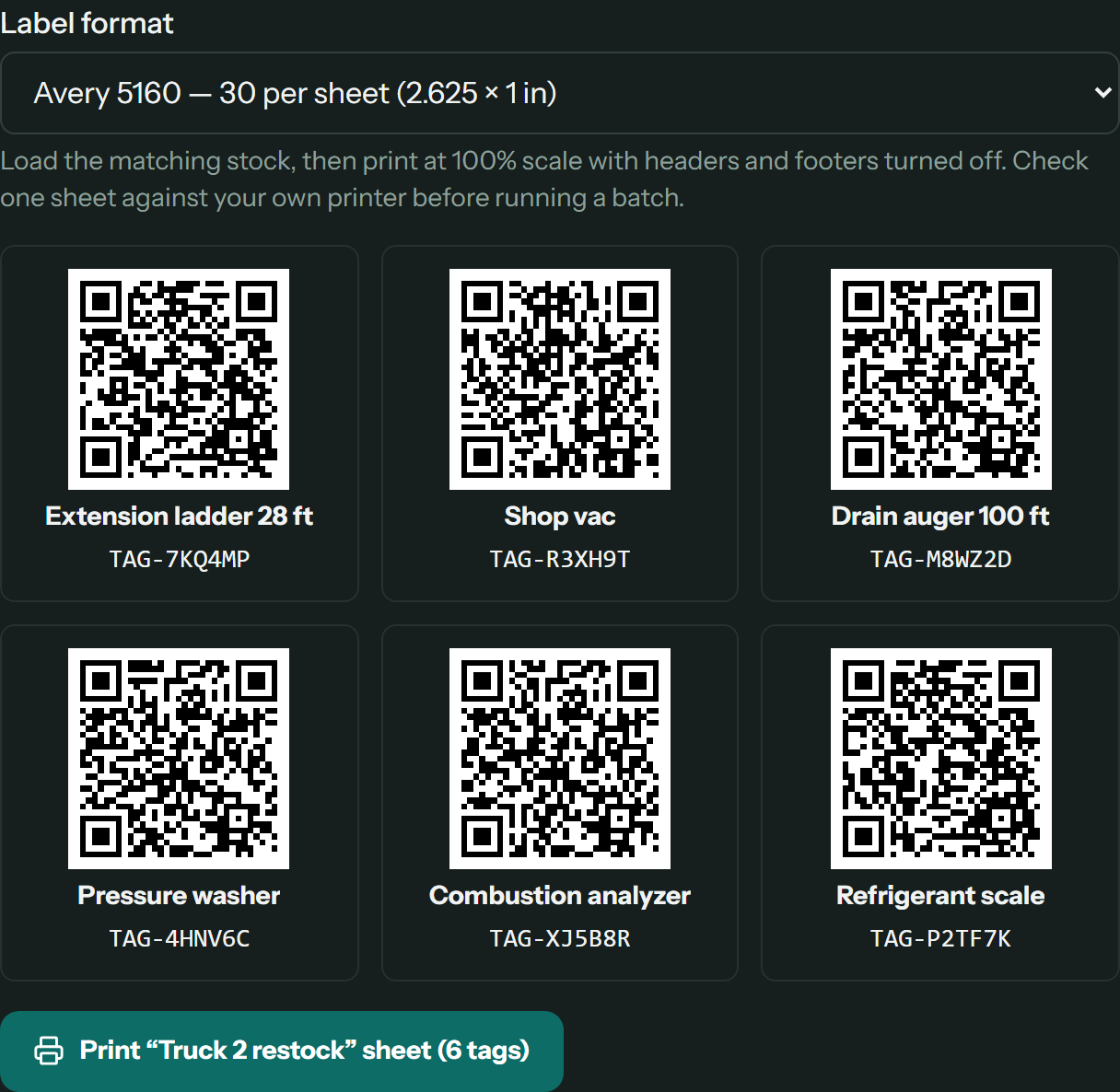
Print a sheet of QR tags before the gear is even in the system.
Generate up to 100 tags at a time, name the batch and print it. Stick a tag on, scan it, and attach it to an existing record or start a new one from there. Gear that already carries tags can keep its own codes.
 03 · Scan it
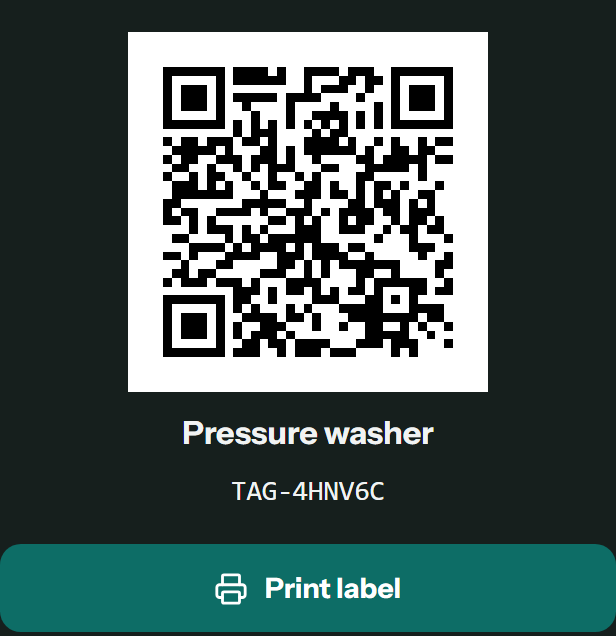
One scan opens the record.
Every equipment and inventory record prints its own label. Change what the sticker says, point the code at a web page such as the manual, or replace a lost tag so the old one stops working. Crews scan equipment tags straight from the crew app.
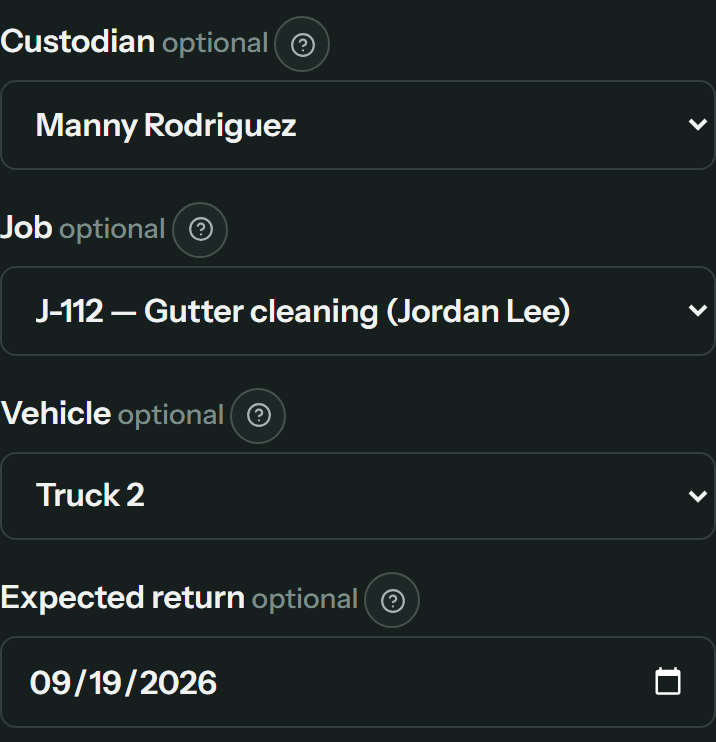 Equipment
Always know who has it.
Check a tool out to a person, job, truck or location, with the date it is due back. Condition is recorded going out and coming back, handoffs between people wait for a manager, and anything overdue, due for service or flagged at job closeout lands on one needs-attention list.
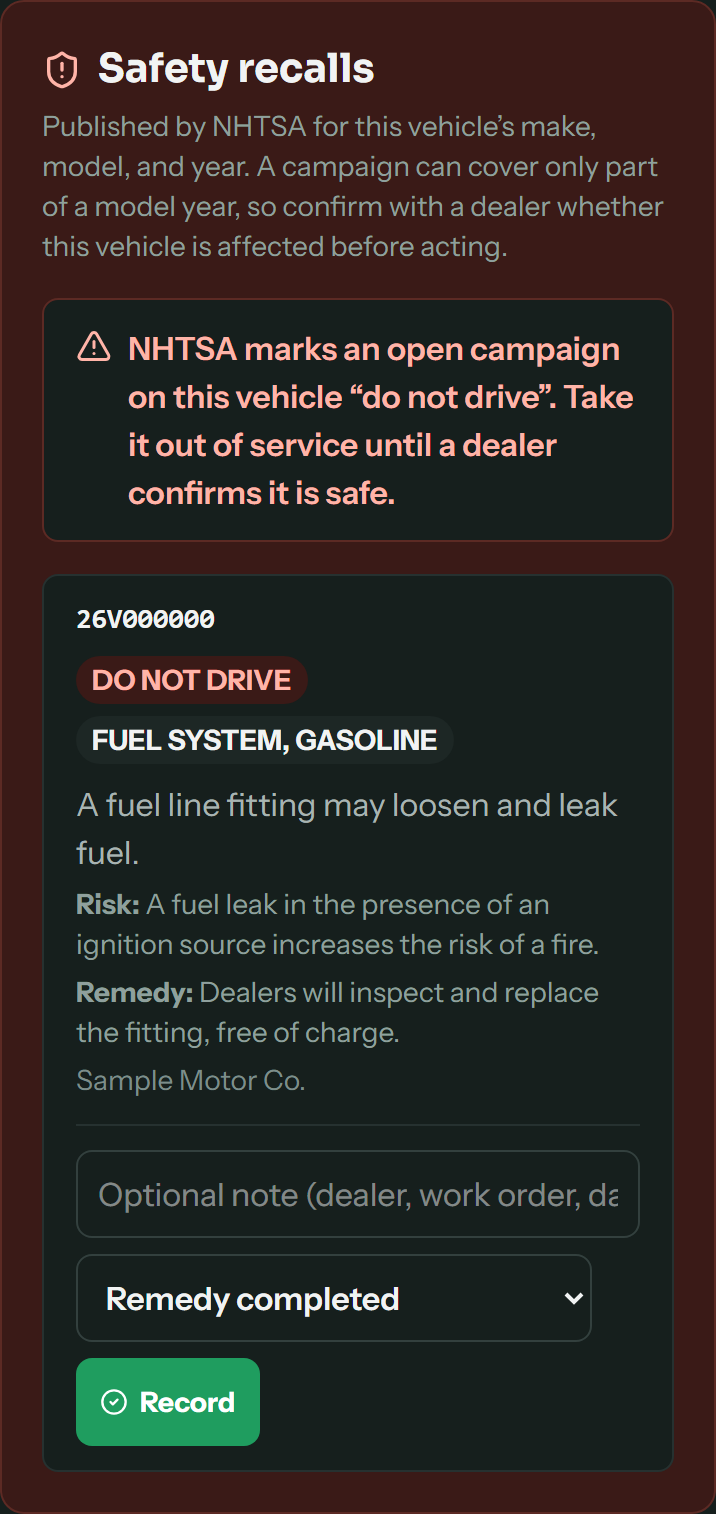 Fleet
FleetRecalls checked every day.
Every day, your trucks' makes, models and years are checked against NHTSA safety recalls, and a do-not-drive campaign flags the vehicle. Maintenance logged with a cost becomes an expense, a driver without the credential you require can't be assigned, and each routed day's expected miles sit beside the odometer.
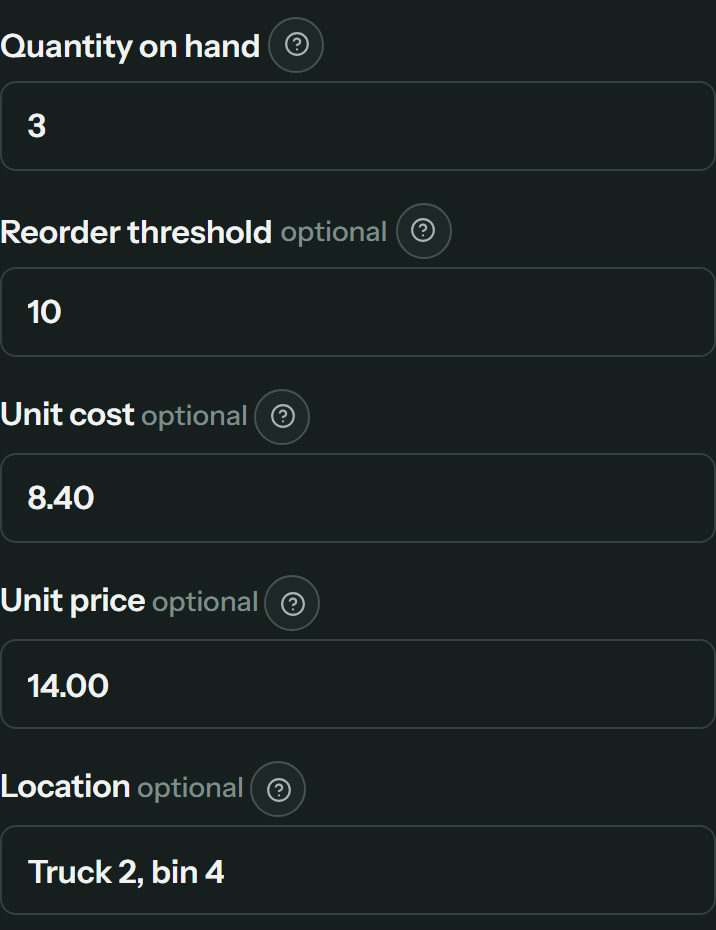 Inventory
Know you're short before you're on the roof.
Quantity, cost, price, reorder threshold and location, down to the truck bin, live on the item. Anything at or below its threshold is flagged, and every count, delivery or adjustment stays in the stock history.
Screens show sample data. Product search and photo naming use your plan's AI credits. Recalls are matched by make, model and year, so confirm with a dealer before acting on one.
Inside Spanstead
Fewer steps in the work you do every day.
The work someone used to do by hand: reading a photo or a receipt, ordering the stops, checking the sky and noticing what is slipping.
Start the estimate from a photo.
Upload a photo of the job and AI suggests the line items. When a line matches a service on your price list, it uses your own price. You pick what to add and can change any line before the estimate goes out.
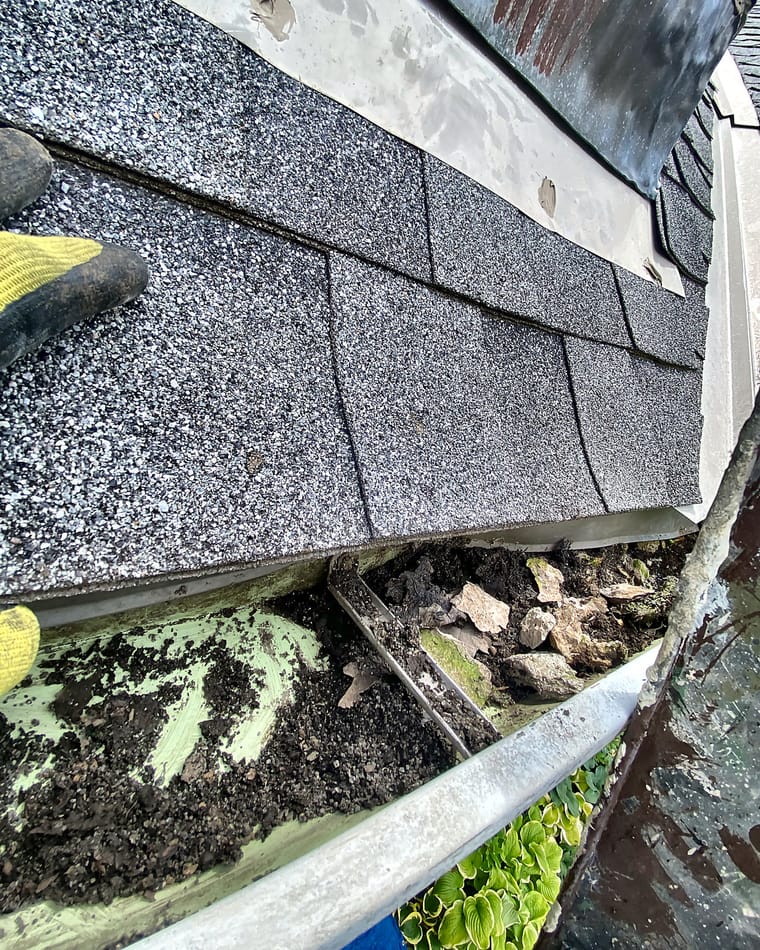
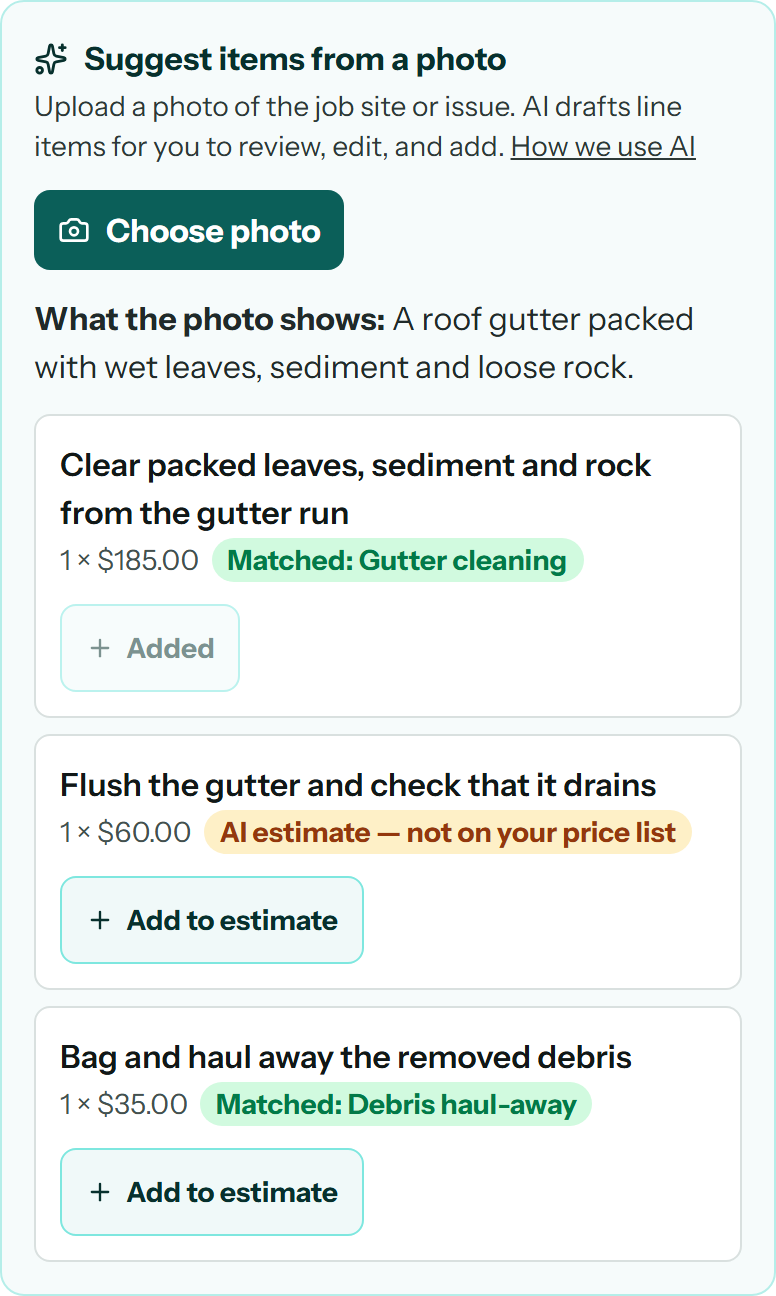
Real job photo. The suggested lines and prices are sample data, not a live AI result.
Product screenshots. The forecast, estimate suggestions, receipt, route, alerts and assistant request use sample data.
Industries
Set up for the trade you run.
Each setup brings its own modules, fields and names for the work. Start from yours and change anything.
Switch with a plan
Bring your records. Review them before you move.
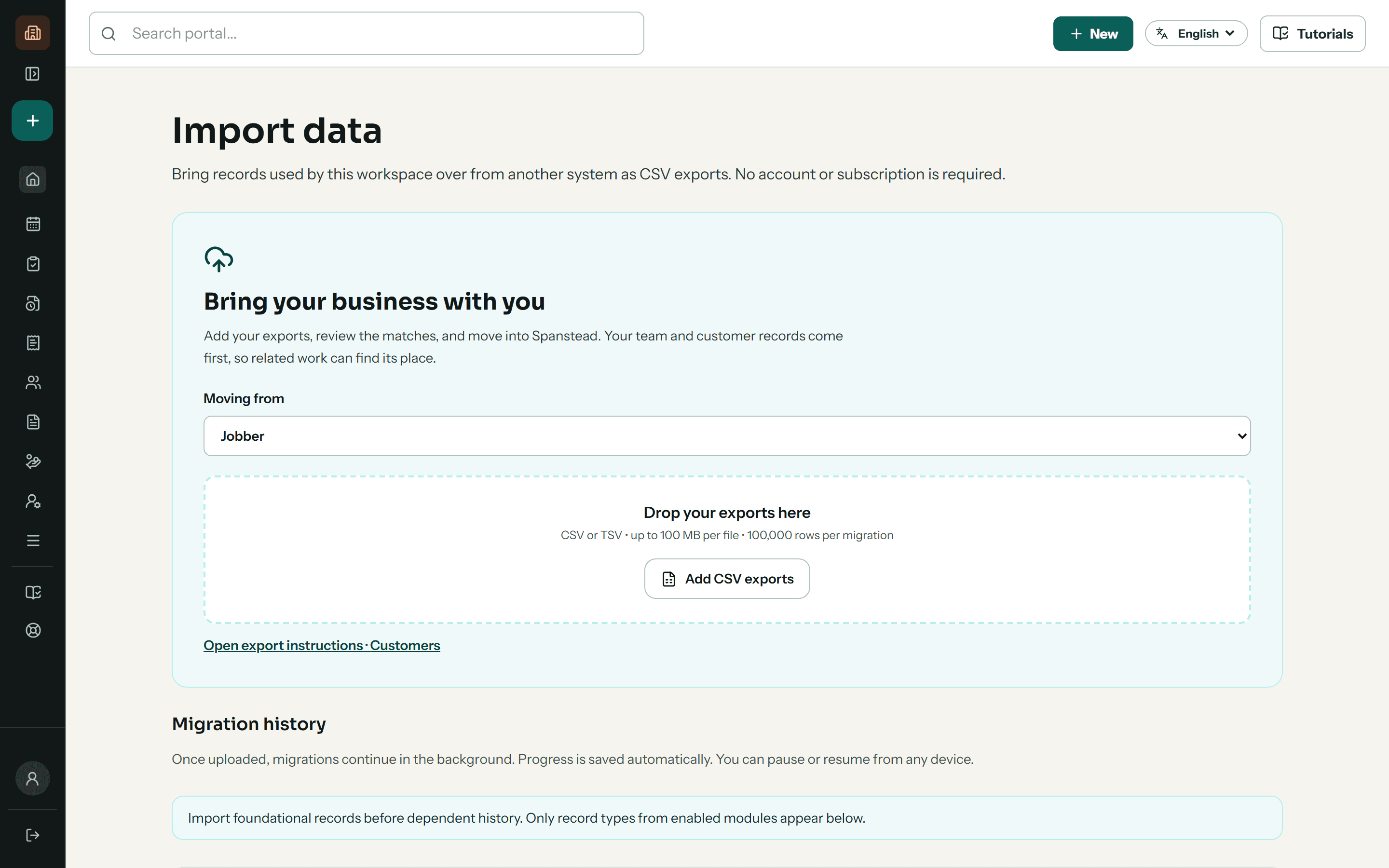
Start during onboarding with exports from FieldRoutes, Jobber, Housecall Pro, ServiceTitan or a spreadsheet. Preview field matches, review employee roles and check results before your team makes the switch.
See what moves and how →- 1Start with a sample
- 2Check the matches
- 3Preview and import
- 4Reconcile before switching
Import CSV or TSV files, then review your records before confirming.
For subcontractors
Track every bid, win the work, and get it signed.
For the trades that bid work to general contractors: every deadline in one place, a setup that asks your trade’s questions, contracts customers sign on the spot, and bid packages when you’re the one hiring.
 Bid tracking
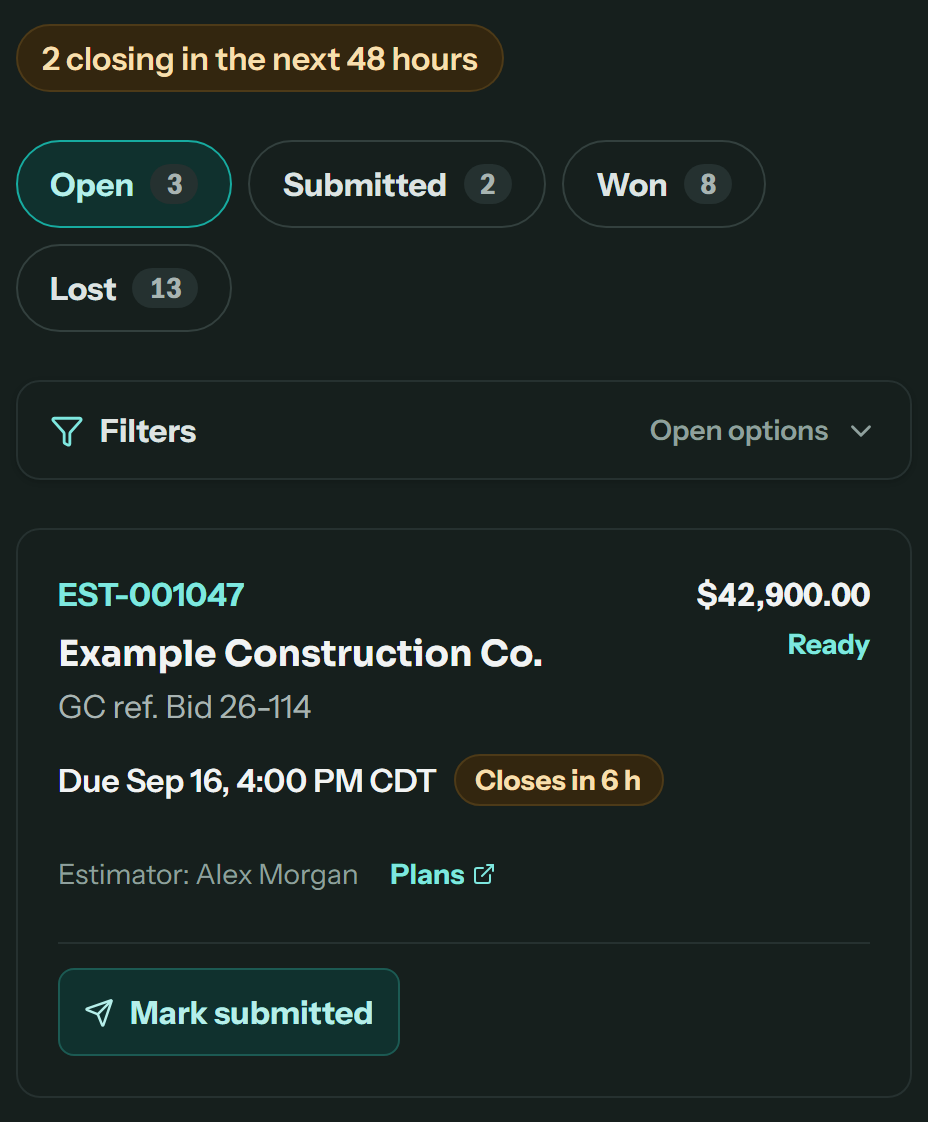
Never miss a bid deadline.
Give an estimate the general contractor’s deadline and it lands on the bid board, soonest first, flagged inside 48 hours with a reminder to whoever is pricing it. Mark it submitted, record whether you won, and see your hit rate with each GC.
Construction · HVAC, plumbing & electrical
 Trade presets
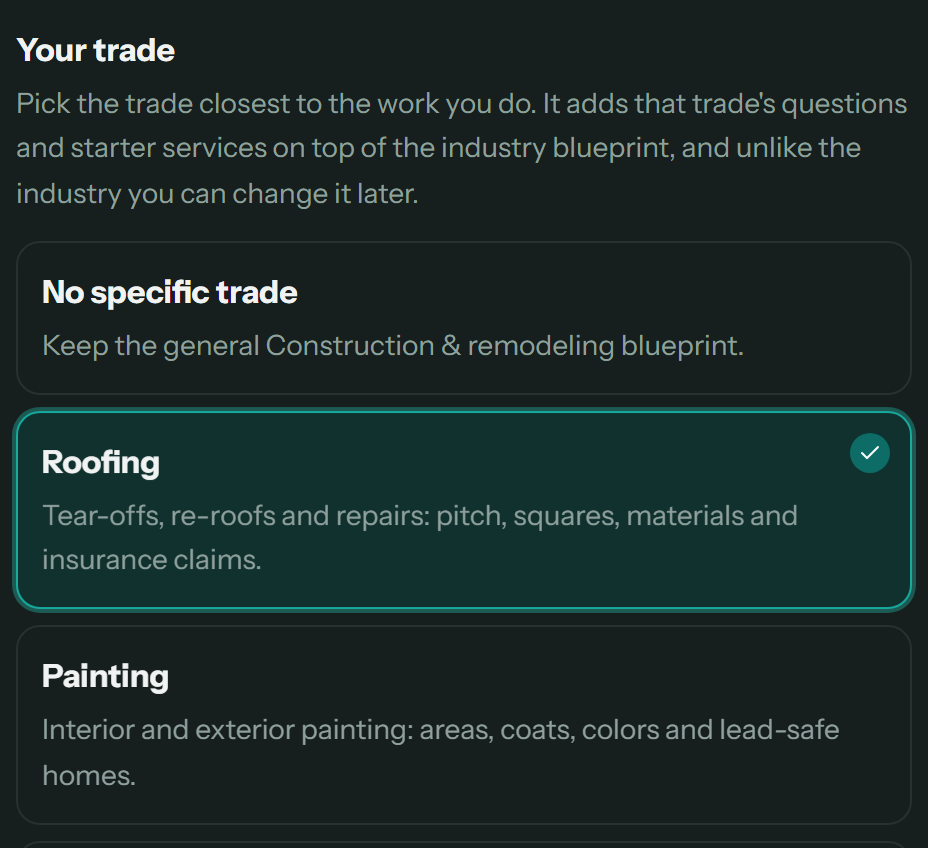
Set up for your trade, not just your industry.
Pick roofing, painting, flooring, concrete, drywall and framing, general contracting, HVAC, plumbing or electrical, and Spanstead adds that trade’s questions to your projects or work orders, plus starter services. Change it later without losing anything you’ve saved.
Construction · HVAC, plumbing & electrical
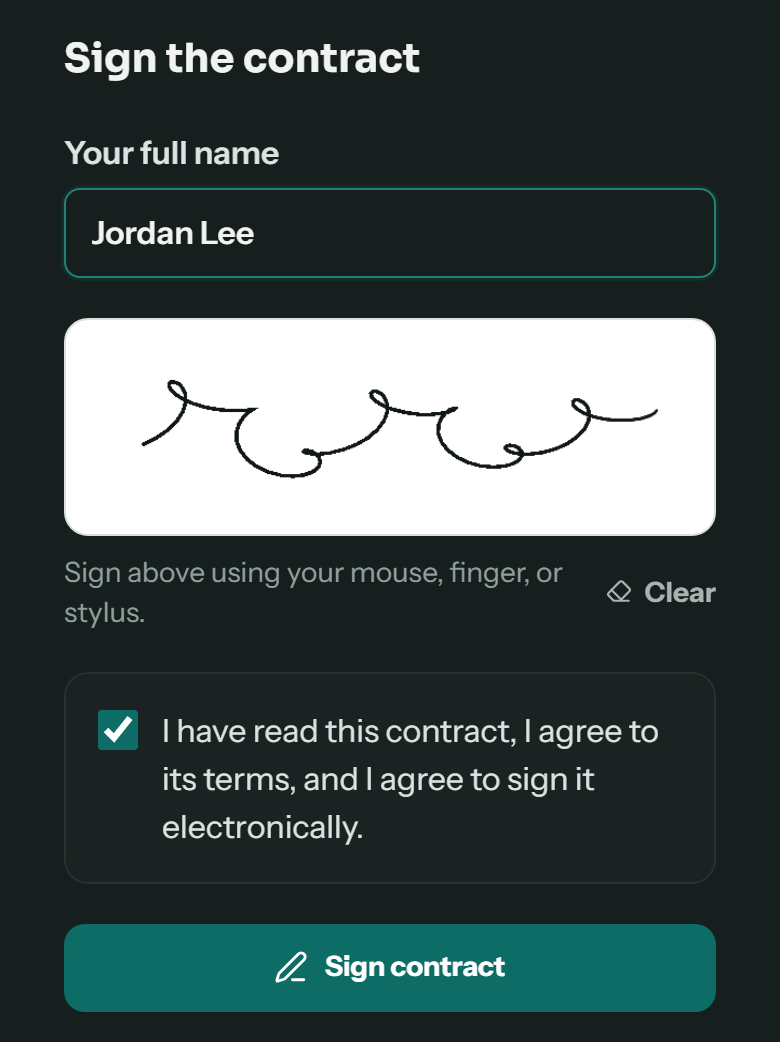 Service contracts
Sell the service and get it signed on the same visit.
Write your contract, upload the PDF you already use, or have AI draft one, and attach it to a service type or plan. When your crew sells that service from the job, the customer signs on the phone or by email, and the signed copy lands on their record.
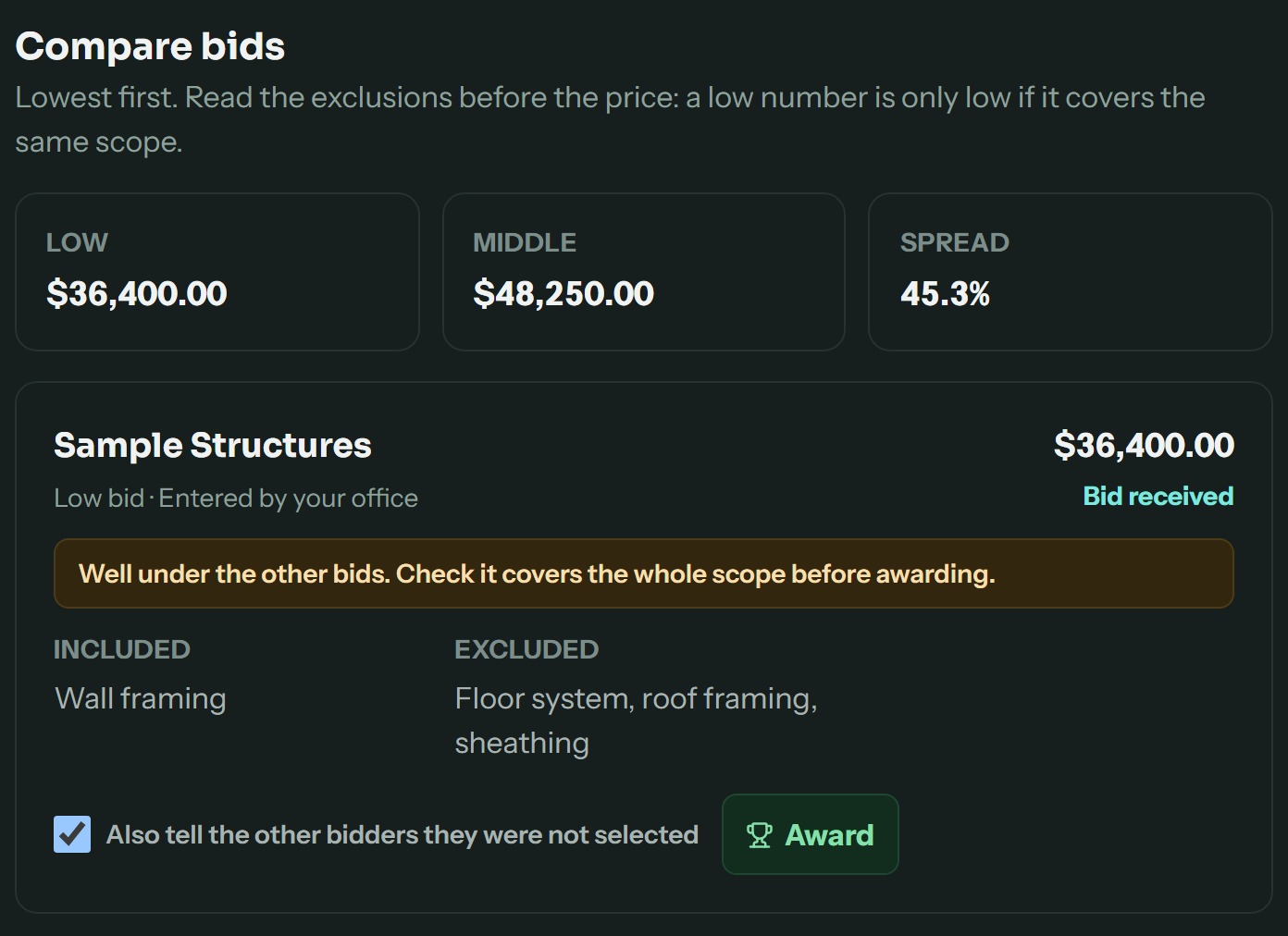 Invitations to bid
Hiring subs of your own? Put it out to bid and compare.
Invite subcontractors from your vendor list or by email. Each answers from a private link with no account: bidding or passing, their price, what it includes and leaves out, and a proposal. Bids line up lowest first, flagged when one is far under the rest.
Construction & remodeling
Product screenshots in the app’s dark theme, with sample companies, bids and contracts. AI contract drafts use your plan’s AI credits.
Questions
What owners ask first.
Can my crew use it in Spanish while the office works in English?
Yes. Each person chooses their own language, and the same job, checklist and messages read in it. Written job instructions can be translated with AI, with the original one tap away. New translations use your plan's AI credits and need a connection.
How do I move over from FieldRoutes, Jobber, Housecall Pro or ServiceTitan?
Export CSV or TSV files from your current system and bring them in during onboarding. You review the column matches, team roles and results before anything is confirmed, and we go through the exceptions with you.
Does it work for subcontractors who bid to general contractors?
Yes. In construction and HVAC, plumbing and electrical workspaces, an estimate with the GC's bid deadline goes on a bid board, flagged 48 hours out with a reminder. You record it as submitted, won or lost and see your hit rate with each GC. If you hire subs yourself, construction workspaces can send invitations to bid and compare what comes back.
See construction and remodeling →Can my customers get text messages or WhatsApp?
Yes, whichever they prefer. Connect your own Twilio number and your customers choose text or WhatsApp in their portal. Visit links, appointment confirmations, estimate and invoice reminders and review requests go out from your number, in English or Spanish, and every reply lands in one inbox your office answers.
Messaging setup →Does it replace QuickBooks?
No. It is not accounting software and not a payroll bureau. QuickBooks Online stays your ledger, and Spanstead syncs to it.
How is my business data protected?
Owners sign in with a second factor, connections use HTTPS, and roles limit who can work with your records. Spanstead does not hold its own SOC 2 certification, so we go through your security, export and recovery requirements before onboarding.
What we do with your data →How does the paid pilot work?
Apply with a short form; no card is needed and no account is created. We review the fit, then agree your plan, onboarding scope and billing before you enroll. You work directly with the team building Spanstead.
Ready when you are
Run your next job on one system.
Start with the customer and finish with the payment, the costs, and the margin still attached to the job.