spanstead

Estimates, invoices and payment

Español

Billed in the language your customer reads.

Estimates and invoices are generated in each customer's own language, not the language of whoever raised them. They carry your name and your logo, and they can be paid by card without anyone calling your office.

The document follows the customer, not the dispatcher.

Language is a property of the customer record, so a Spanish-speaking customer receives Spanish paperwork even when the estimate was raised by an English-speaking office. Invoices, estimates, completion certificates and photo reports all follow the same rule. Nobody has to remember, and nobody has to keep two templates in step.

  • Estimates and invoices generated in the customer's language
  • Completion certificates and photo reports follow the same rule
  • Your business name and logo on the document, not ours
  • One template per document, not one per language to maintain
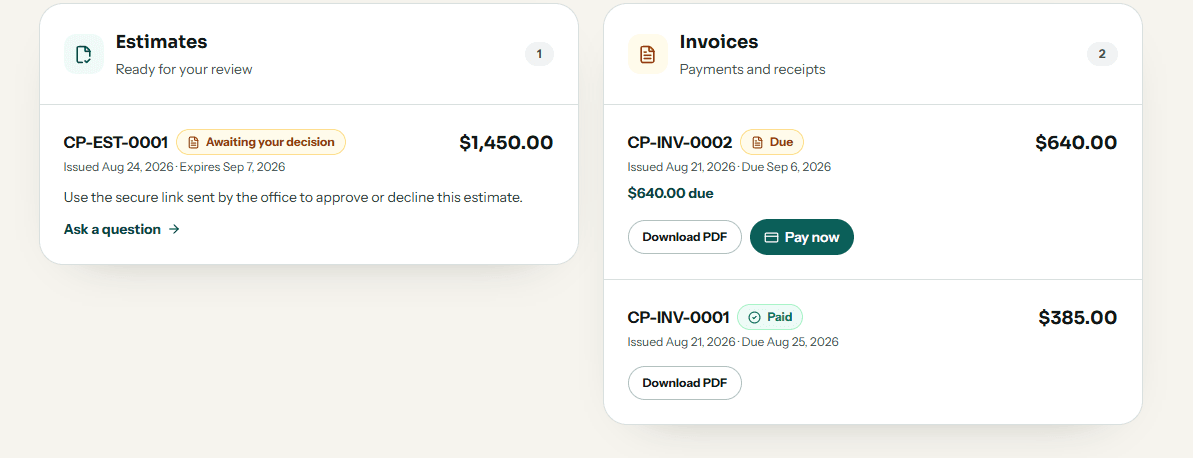
Estimates and invoices in the customer portal, one awaiting a decision and one with a Pay now button beside the amount due

Quote, approve, invoice, paid — on one record.

An estimate becomes the work, the work becomes the invoice, and the payment closes it. Because they are the same record, the hours and materials your crew recorded on site are the ones the invoice bills for, and nothing has to be copied between systems on a Friday.

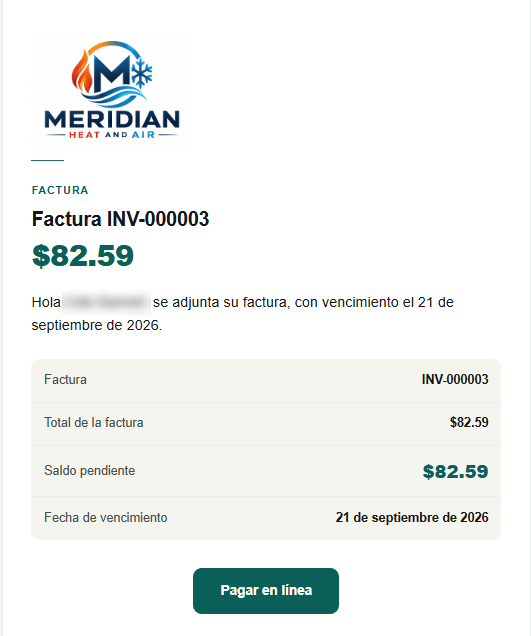
The email goes out under your logo, carrying the balance and a Pay online button. That button opens an ordinary web page — no account, no login, nothing to install — so a customer who does not use email can be sent the same link and pay from their phone.

The invoice email as a Spanish-speaking customer receives it, under the business's own logo and colours: Factura INV-000003, the amount, the outstanding balance and the due date, above a Pagar en linea button
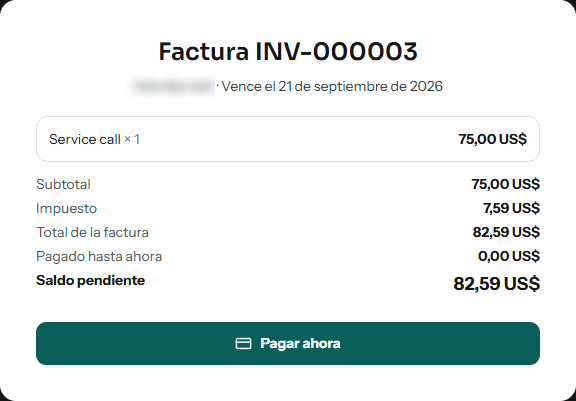
The payment page in Spanish: the line item, subtotal, tax, invoice total, nothing paid so far, and the outstanding balance, above a Pagar ahora button

Paid by card, into your own account.

Connect your own Stripe or Square account and take payment online, or in person with Tap to Pay on a compatible Crew device. The money lands in your account on your own payout schedule. We never hold it. A customer can pay an open invoice from their portal without your office being involved at all.

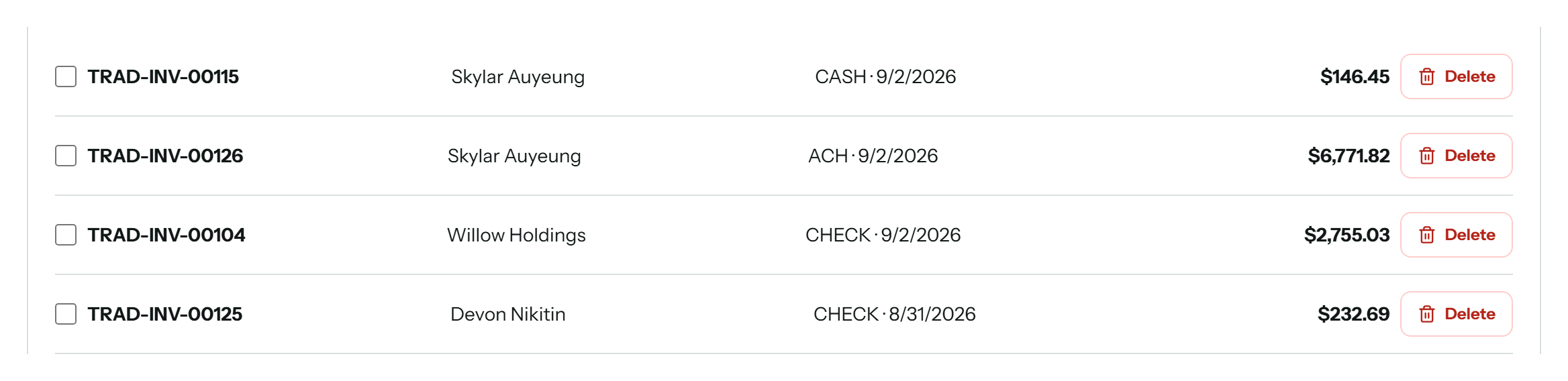
Received payments listed against the invoice each one closes, with the customer, whether it arrived by cash, check or ACH, the date, and the amount

Revenue that means money received.

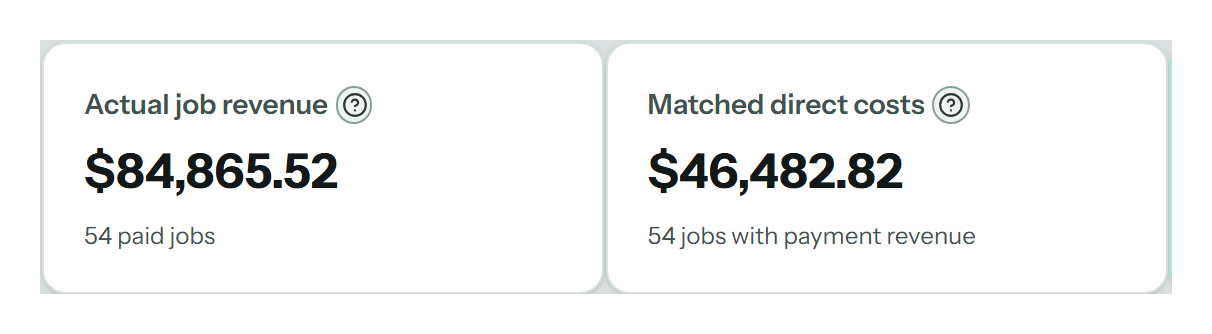
Job margin here is built from payments actually received, not invoices raised. An invoice that has been sent and an invoice that has been paid are different facts, and only one of them pays for the truck.

Actual job revenue of $84,865.52 beside matched direct costs of $46,482.82, both drawn from 54 paid jobs

Straight answers

Questions people actually ask

Can I send invoices in Spanish?

Yes. Language is set on the customer record, and the invoice is generated in that language automatically. The same applies to estimates, completion certificates and photo reports. You do not maintain a separate Spanish template, and the person raising the document does not have to speak the customer's language.

What happens if my office is English and my customer is Spanish?

That is the ordinary case and it is handled. The document follows the customer, not whoever pressed Send. An English-speaking dispatcher raising an estimate for a Spanish-speaking customer produces a Spanish estimate, and the dispatcher continues to see it in English on their own screen.

How do customers pay?

By card, through your own Stripe or Square account. They can pay online from the customer portal, or in person with Tap to Pay on a compatible Crew device. The money settles into your account on your own payout schedule — we never hold it. Stripe and Square are alternatives, so connect the one you already use.

Do customers need an account to pay an invoice?

They get a portal under your name and logo, showing their open balance, invoices, and any estimate waiting on a decision, with a pay button beside the amount. They can confirm an appointment and pay an invoice from it. They cannot move your schedule, change a job, or see anything belonging to another customer.

Does this replace my accounting software?

No, and it is not meant to. QuickBooks stays your accounting system. This is where the job, the hours, the materials, the invoice and the received payment live together so job margin is real. The accounting side stays where your accountant expects to find it.

Ready when you are

Run your next job on one system.

Start with the customer and finish with the payment, the costs, and the margin still attached to the job.

See what moves and howNo card to apply. Paid pilot access by invitation.